

Sorry, hatte ein Fehler in meinem Beispiel in Post#3 -> korrigiert!
UEZ
Sorry, hatte ein Fehler in meinem Beispiel in Post#3 -> korrigiert!
UEZ
Hier mein Vorschlag:
;code by UEZ
#include <GUIConstantsEx.au3>
#include <WindowsConstants.au3>
#include <GUIConstants.au3>
#include <GDIPlus.au3>
Global Const $width = 800
Global Const $height = 800
Global $graphics, $backbuffer, $bitmap, $hPen, $i, $pi_div_180 = 4 * ATan(1) / 180, $index, $color
Global $radius_x = ($width * 0.5) * 0.90, $radius_y = ($height * 0.5) * 0.90
Global $title = "GDI+ Beispiel"
Opt("GUIOnEventMode", 1)
$hwnd = GUICreate($title, $width, $height, -1, -1, BitOR($WS_SYSMENU,$WS_DLGFRAME,$WS_POPUP))
GUISetOnEvent($GUI_EVENT_CLOSE, "close")
GUISetState()
_GDIPlus_Startup()
$graphics = _GDIPlus_GraphicsCreateFromHWND($hwnd)
$bitmap = _GDIPlus_BitmapCreateFromGraphics($width, $height, $graphics)
$backbuffer = _GDIPlus_ImageGetGraphicsContext($bitmap)
$hPen = _GDIPlus_PenCreate(0xFFFFFFFF, 
_GDIPlus_GraphicsClear($backbuffer)
Do
Line_Color()
;~ _GDIPlus_GraphicsClear($backbuffer)
;~ _GDIPlus_GraphicsDrawEllipse($backbuffer, $width * 0.5 + Cos($i * $pi_div_180) * $radius_x, $height * 0.5 + Sin($i * $pi_div_180) * $radius_y, 1, 1, $hPen)
_GDIPlus_GraphicsDrawLine($backbuffer, $width / 2, $height / 2, $width * 0.5 + Cos($i * $pi_div_180) * $radius_x, $height * 0.5 + Sin($i * $pi_div_180) * $radius_y, $hPen)
_GDIPlus_GraphicsDrawImageRect($graphics, $bitmap, 0, 0, $width, $height)
$i += 1
If $i >= 360 Then $i = 0
Sleep(10)
Until False
Func Line_Color()
Local $RedM = 1, $BlueM = 1.25, $GreenM = 1.50
$index += 0.075
$color = "0xFF" & Hex(255 * ((Sin($index * $RedM) + 1) / 2), 2) & Hex(255 * ((Sin($index * $GreenM) + 1) / 2), 2) & Hex(255 * ((Sin($index * $BlueM) + 1) / 2), 2)
_GDIPlus_PenSetColor($hPen, $color)
EndFunc ;==>Line_Color
Func close()
_GDIPlus_PenDispose($hPen)
_GDIPlus_GraphicsDispose($backbuffer)
_GDIPlus_BitmapDispose($bitmap)
_GDIPlus_GraphicsDispose($graphics)
_GDIPlus_Shutdown()
WinClose($hwnd)
Exit
EndFunc
Das Problem ist hier in meinem Bsp. nicht GDI+, sondern die Mathematik (Trigonometrie) 
Gruß,
UEZ
ich meine, ich hab mal ein paar schiefe Linien gesehen, bei nem Stern glaub ich
(AMD Athlon 64 X" Dual Core 3800+)
/
/Edit: Star2 wars [Blockierte Grafik: http://www.abload.de/thumb/star2pch8.png]
Danke für deine Antwort, aber das ist "normal". Ich kann es nicht erklären, warum vereinzelte Linien aus der Reihe tanzen, lässt sich irgendwie aber mathematisch erklären 
Was ich meine, ist z.B. das bei den Rays aus der Mitte die Strahlen nach außen gehen (oder umgekehrt, je nach dem wie man die Richtung sieht), aber auf meinem AMD Athlon XP 3000+ verliefen die Linien zum Teil mitten beim Zeichnen von links oben in der Ecke in alle Richtungen!
Intel CPU's scheinen die Division durch 0 anders darzustellen als AMD CPUs oder zumindest mein AMD XP 3000+ tat dies. Leider habe die CPU nicht mehr.
Das war mir nur eingefallen und wollte wissen, ob das jemanden noch auffällt bzw. aufgefallen ist!
Hast du den Code umgestrickt, um Screenshot zu machen? 
Gruß,
UEZ
@all: danke für das Feedback 
Gab's auf AMD CPUs probleme (falsche Darstellung der Linien, z.B. bei Rays)?
Gruß,
UEZ
PS: Ich bin jetzt "GDI+-Zauberer und Lernender"
Ich habe da noch was Älteres gefunden, was ich so direkt nie veröffentlicht habe 
Ist noch Beta, da ich nach einer schnelleren Routine suche! Ich habe das zwar schon was, aber mal sehen...
Vielleicht gefällt es euch ja
Gruß,
UEZ
Nach dem ich "Suche starten..." gedrückt habe und er nicht gefunden hat, ist immer noch der Button ausgegraut!
Nett wäre noch ein "Abbruch" Button.
Cool wäre es, wenn man den Musikinhalt Binär vergleichen könnte, d.h. MP3 Part extrahieren und dann ein Binärvergleich (MD5?). Denn es könnte ja z.B. sein, dass die Mp3 Datei gleich ist, aber der Name/Tag anders -> ü->ue, ä->ae, ö->oe.
Gruß,
UEZ
Hier ein Screensaver (Magic Lines Screensaver), den ich Anfang März 2008 angefangen (meine ersten Versuche mit GDI+) und nicht mehr weiter entwickelt habe.
Vielleicht ist er ja für jemanden nützlich!
Auf AMD Prozessoren können die Linien falsch dargestellt werden (Division durch Null) 
;~ my 1st steps in GDI+
#Region
#AutoIt3Wrapper_Outfile=Magic Lines Screensaver.exe
#AutoIt3Wrapper_Res_Description=Very simple screensaver coded by UEZ using AutoIT
#AutoIt3Wrapper_Res_Fileversion=1.0.0.0
#AutoIt3Wrapper_Res_Language=1033
#AutoIt3Wrapper_Res_Field=Coded by|UEZ 2008
#AutoIt3Wrapper_Change2CUI=n
#AutoIt3Wrapper_UseUpx=n
#AutoIt3Wrapper_Run_Obfuscator=y
#Obfuscator_Parameters=/sf /sv /om /cs=0 /cn=0
#AutoIt3Wrapper_Res_SaveSource=n
;~ #AutoIt3Wrapper_Run_After=upx.exe --best "%out%"
#AutoIt3Wrapper_run_after=upx.exe --ultra-brute "%out%" ;very slow
#AutoIt3Wrapper_Run_After=move /y "Magic Lines Screensaver.exe" "Magic Lines Screensaver.scr"
#AutoIt3Wrapper_Run_After=del "Magic Lines Screensaver_Obfuscated.au3"
#EndRegion
#include <GDIPlus.au3>
#include <WindowsConstants.au3>
Opt('MustDeclareVars', 1)
Opt("GUIOnEventMode", 1)
Opt("TrayIconHide", 1)
If WinExists("ScrnSav:" & @ScriptFullPath) Then WinKill("ScrnSav:" & @ScriptFullPath)
AutoItWinSetTitle("ScrnSav:" & @ScriptFullPath)
Global $CommandLine
[/autoit] [autoit][/autoit] [autoit]Const $appname = "Magic Lines Screensaver"
Const $ver = "0.75"
Const $build = "2009-03-04"
Global $hGUI, $hWnd, $hGraphic, $hPen, $x, $y, $x1, $x2, $y1, $y2, $i, $position, $radius, $radians, $stRegion, $min_size_factor
Global $GUI_Name, $info, $info_pos, $rand, $rand_pos, $details, $wait, $diameter, $speed, $func, $func_detail, $name
Global $color, $index, $last, $new, $pen_size
Global $VirtualDesktopHeight, $VirtualDesktopWidth, $VirtualDesktopX, $VirtualDesktopY
Dim $Array_of_Details[10]
Global Const $Pi = 4 * ATan(1)
; thanks to james3mg for helping me to create SS
$VirtualDesktopWidth = DllCall("user32.dll", "int", "GetSystemMetrics", "int", 78);sm_virtualwidth
$VirtualDesktopWidth = $VirtualDesktopWidth[0]
$VirtualDesktopHeight = DllCall("user32.dll", "int", "GetSystemMetrics", "int", 79);sm_virtualheight
$VirtualDesktopHeight = $VirtualDesktopHeight[0]
$VirtualDesktopX = DllCall("user32.dll", "int", "GetSystemMetrics", "int", 76);sm_xvirtualscreen
$VirtualDesktopX = $VirtualDesktopX[0]
$VirtualDesktopY = DllCall("user32.dll", "int", "GetSystemMetrics", "int", 77);sm_yvirtualscreen
$VirtualDesktopY = $VirtualDesktopY[0]
If $CmdLine[0] > 0 Then
$CommandLine = StringLeft($CmdLine[1], 2)
Else
$CommandLine = "/s"
EndIf
If $CommandLine = "/s" Then
[/autoit] [autoit][/autoit] [autoit]$x = @DesktopWidth
$y = @DesktopHeight
$GUI_Name = $appname & " v" & $build & " by UEZ"
$hGUI = GUICreate($GUI_Name, $VirtualDesktopWidth, $VirtualDesktopHeight, $VirtualDesktopX, $VirtualDesktopY, $WS_POPUP, BitOR($WS_EX_TOPMOST, $WS_EX_TOOLWINDOW))
$hWnd = WinGetHandle($GUI_Name)
GUISetCursor(16, 1) ; hide mouse cursor
GUISetBkColor(0x000000) ; set screen backround
_GDIPlus_Startup() ; initialize GDI+
$hGraphic = _GDIPlus_GraphicsCreateFromHWND($hWnd)
_GDIPlus_GraphicsSetSmoothingMode($hGraphic, 4) ; AntiAlias
Ini()
$info_pos = Random(0, @DesktopHeight - 55, 1) + Abs($VirtualDesktopY) ; set random y position on left side
$info = GUICtrlCreateLabel($GUI_Name, $x - 80 + Abs($VirtualDesktopX), $info_pos, 90, 50) ; display info label on right side
GUICtrlSetColor($info, 0x0000FF) ; set font color
GUICtrlSetFont($info, ; set font size
$pen_size = Random(1, 16, 1)
$rand_pos = Random(0, @DesktopHeight - 20, 1) + Abs($VirtualDesktopY)
$rand = GUICtrlCreateLabel($name & " | " & $diameter & " | " & $details & " | " & $pen_size, 4 + Abs($VirtualDesktopX), $rand_pos, 100, 16) ; display random numbers label on left side
GUICtrlSetColor($rand, 0x2FCFFF) ; set font color
GUICtrlSetFont($rand, ; set font size
GUISetState()
$last = 0
While 1
$new = _IdleTicks()
If $new < $last Then
ExitLoop
EndIf
$last = $new
Line_Color() ; generate line color
Draw() ; draw lines
WEnd
Quit()
ElseIf $CommandLine = "/c" Then
MsgBox(64, "Information", "Nothing to configure yet, maybe later ;-)" & @CRLF & @CRLF & _
"(c) UEZ " & $build, 15)
Exit
ElseIf $CommandLine = "/p" Then ;display little preview
Global $USER32
$x = 152
$y = 112
Global $hGUI = GUICreate($appname, $x, $y, 0, 0, 0x80000000)
$hWnd = WinGetHandle($hGUI)
$USER32 = DllOpen("user32.dll")
DllCall($USER32, "int", "SetParent", "hwnd", $hGUI, "hwnd", HWnd($CmdLine[2])) ;set preview window
DllClose($USER32)
GUISetState()
GUISetBkColor(0x000000)
_GDIPlus_Startup() ; initialize GDI+
$hGraphic = _GDIPlus_GraphicsCreateFromHWND($hWnd)
$hPen = _GDIPlus_PenCreate(0x7FFFFFFF) ; define draw color using alpha blending
_GDIPlus_GraphicsSetSmoothingMode($hGraphic, 4) ; AntiAlias
$VirtualDesktopY = 0
Ini()
Local $parent_PID = _ProcessGetParent(@AutoItPID)
Local $child_PID ; = _ProcessGetChildren($parent_PID)
While 1
If Not WinExists($hWnd) Then Quit()
$child_PID = _ProcessGetChildren($parent_PID)
If $child_PID[0] > 1 Then Quit() ;if another screensaver is selected in ComboBox close ss
Line_Color()
Draw()
WEnd
EndIf
Exit
[/autoit] [autoit][/autoit] [autoit]Func Ini()
$Array_of_Details[0] = 0.50 ; array of detail levels
$Array_of_Details[1] = 1.00
$Array_of_Details[2] = 1.50
$Array_of_Details[3] = 2.00
$Array_of_Details[4] = 2.50
$Array_of_Details[5] = 3.00
$Array_of_Details[6] = 3.50
$Array_of_Details[7] = 4.00
$Array_of_Details[8] = 4.50
$Array_of_Details[9] = 5.00
$speed = 10
$wait = 5000 ; wait 5 sec.
$details = $Array_of_Details[Random(2, 9, 1)] ; select randomly detail level from array
$i = 0
$min_size_factor = 8
$position = Random(2, 360, 1) ; set position for x2 and y2
$radius = Random($y / $min_size_factor, $y / 2, 1) ; set radius of the circle
$diameter = $radius * 2
$radians = 180 * $details ;Random(90, 360, 1) ; set value convert from degrees to radians
Random_Func()
EndFunc ;==>Ini
Func Draw()
Select
Case $func = 1
Shell()
$name = "Shell"
Case $func = 2
Space()
$name = "Space"
Case $func = 3
Star()
$name = "Star"
Case $func = 4
Circle()
$name = "Circle"
Case $func = 5
Nest()
$name = "Nest"
Case $func = 6
Abstract1()
$name = "Abstract1"
Case $func = 7
Rays()
$name = "Rays"
Case $func = 8
Star2()
$name = "Star2"
Case $func = 9
Disc()
$name = "Disc"
Case $func = 10
Color_Gradient()
$name = "Color Gradient"
Case $func = 11
Flower()
$name = "Flower"
EndSelect
_GDIPlus_GraphicsDrawLine($hGraphic, Abs($VirtualDesktopX) + $x1, Abs($VirtualDesktopY) + $y1, Abs($VirtualDesktopX) + $x2, Abs($VirtualDesktopY) + $y2, $hPen) ;draw line
_GDIPlus_PenDispose($hPen)
$i += 1
Sleep($speed)
If $i = 360 * $details * $func_detail Then
Sleep($wait)
$stRegion = DllStructCreate($tagRECT) ; delete whole screen
DllStructSetData($stRegion, 1, 0)
DllStructSetData($stRegion, 2, 0)
DllStructSetData($stRegion, 3, $VirtualDesktopWidth)
DllStructSetData($stRegion, 4, $VirtualDesktopHeight)
_WinAPI_InvalidateRect($hGUI, $stRegion, True)
Random_Func()
$i = 0
$details = $Array_of_Details[Random(0, 9, 1)]
$position = Random(2, 360, 1)
$radius = Random($y / $min_size_factor, $y / 2, 1)
$diameter = $radius * 2
$radians = 180 * $details ;Random(90, 360, 1)
$pen_size = Random(1, 16, 1)
If $x >= 640 Then
$rand = GUICtrlCreateLabel("", 4, $rand_pos, 100, 16) ; delete font on right side
$info = GUICtrlCreateLabel("", $x - 80, $info_pos, 90, 50) ; delete font left side
$rand_pos = Random($VirtualDesktopHeight - @DesktopHeight, $VirtualDesktopHeight - 20, 1) ; set new position for information right
$rand = GUICtrlCreateLabel($name & " | " & $diameter & " | " & $details & " | " & $pen_size, 4, $rand_pos, 100, 16) ; print information
GUICtrlSetColor($rand, 0x7FFFFF) ; set font color
$info_pos = Random($VirtualDesktopHeight - @DesktopHeight, $VirtualDesktopHeight - 55, 1) ; set new position for information
$info = GUICtrlCreateLabel($GUI_Name, $x - 80, $info_pos, 90, 50) ; print information
GUICtrlSetColor($info, 0x0000FF) ; set font color
GUICtrlSetFont($rand,
EndIf
EndIf
EndFunc ;==>Draw
Func Random_Func()
$func = Random(1, 11, 1)
Select
Case $func = 1
$name = "Shell"
Case $func = 2
$name = "Space"
Case $func = 3
$name = "Star"
Case $func = 4
$name = "Circle"
Case $func = 5
$name = "Nest"
Case $func = 6
$name = "Abstract1"
Case $func = 7
$name = "Rays"
Case $func = 8
$name = "Star2"
Case $func = 9
$name = "Disc"
Case $func = 10
$name = "Color Gradient"
Case $func = 11
$name = "Flower"
EndSelect
EndFunc ;==>Random_Func
Func Line_Color() ;thanks to monoceres for the code
Local $RedM = 1, $BlueM = 1.25, $GreenM = 1.50
$index += 0.0075
$color = "0x2F" & Hex(255 * ((Sin($index * $RedM) + 1) / 2), 2) & Hex(255 * ((Sin($index * $GreenM) + 1) / 2), 2) & Hex(255 * ((Sin($index * $BlueM) + 1) / 2), 2)
$hPen = _GDIPlus_PenCreate($color, $pen_size)
EndFunc ;==>Line_Color
Func Color_Gradient()
$x1 = 0
$y1 = $i
$x2 = $radians * $i
$y2 = 0
$func_detail = 1.50
EndFunc ;==>Color_Gradient
Func Flower()
$x1 = ATan($i / 180) ^ Sin($i / 180 * $Pi) + $x / 2
$y1 = ATan($i / 180) ^ Sin($i / 180 * $Pi) + $x / $Pi
$x2 = $radians * Cos($i / 180 * $Pi) / Tan($i / 180) + $x / 2
$y2 = $radians * Cos($i / 180 * $Pi) / ATan($i / 180) + $x / $Pi
$func_detail = 2.50
EndFunc ;==>Flower
Func Disc()
$x1 = $radians * Sin($i / 180 * $Pi) + $x / 2
$y1 = $radians * Cos($i / 180 * $Pi) + $x / $Pi
$x2 = $radius * Sin($i / 180 * $Pi) + $x / 2
$y2 = $radius * Cos($i / 180 * $Pi) + $x / $Pi
$func_detail = 1.5
EndFunc ;==>Disc
Func Star2()
Local $e
$e = 2.71828182845904523536
$x1 = $radius * Cos($i * ($Pi / $radians)) / Tan($i) ^ $e ^ 1 / $i + $x / 2
$y1 = $radius * Sin($i * ($Pi / $radians)) * Tan($i) ^ $e ^ 1 / $i + $y / 2
$x2 = $radius * Cos($position * $i * ($Pi / $radians)) / Tan($i) + $x / 2
$y2 = $radius * Sin($position * $i * ($Pi / $radians)) * Tan($i) + $y / 2
$func_detail = 2.5
EndFunc ;==>Star2
Func Rays()
Local $a, $b, $e
$e = 2.71828182845904523536
$x1 = $radius * Cos($i ^ - 0.00000005 / ($Pi / $radians)) + $x / 2
$y1 = $radius * Sin($i ^ - 0.00000005 / ($Pi / $radians)) + $y / 2
$x2 = $radius * Cos($position * $i / ($Pi / $radians)) * $e ^ 1 / (Sin(-$i / 180) ^ - 0.00000005) + $x / 2
$y2 = $radius * Sin($position * $i / ($Pi / $radians)) * $e ^ 1 / (Tan(-$i / 180) ^ - 0.00000005) + $y / 2
$func_detail = 3.0
EndFunc ;==>Rays
Func Abstract1()
Local $a, $b, $e
$e = 2.71828182845904523536
$a = ATan(($i / $Pi / 45))
$b = $i / $Pi / 270
$x1 = $i / $e ^ (1 / $i)
$y1 = $x1 ^ $e ^ (1 / $i)
$x2 = $radius * Sin($y1 / 180) - Cos($i * $Pi / 180)
$y2 = $radius * $i * Tan($x2 / 180)
$func_detail = 2
EndFunc ;==>Abstract1
Func Nest()
Local $a
$a = ATan((Sqrt($i * $Pi / 180)))
$x1 = $radius * Cos($i / Sqrt($Pi * $radians)) / $a + $x / 2
$y1 = $radius * Sin($i / Sqrt($Pi * $radians)) / $a + $y / 2
$x2 = $radius * Sin($position / $i * Sqrt($Pi * $radians)) / $a + $x / 2
$y2 = $radius * Cos($position / $i * Sqrt($Pi * $radians)) / $a + $y / 2
$func_detail = 1.75
EndFunc ;==>Nest
Func Shell()
Local $a
$a = Sin($i / 180 / $Pi) / Cos($i * 180 * $Pi)
$x1 = $radius * Cos($i * Sin($Pi / $radians)) * $a + $x / 2
$y1 = $radius * Sin($i * Sin($Pi / $radians)) * $a + $y / 2
$x2 = $radius * Cos($position * $i * Cos($Pi / $radians)) * $a + $x / 2 ;
$y2 = $radius * Sin($position * $i * Cos($Pi / $radians)) * $a + $y / 2
$func_detail = 1.50
EndFunc ;==>Shell
Func Space()
Local $a
$a = Cos($i) * Sin($i) / ATan($i) * $Pi
$x1 = $radius * Cos($i * ($Pi / $radians)) / $a + $x / 2
$y1 = $radius * Sin($i * ($Pi / $radians)) / $a + $y / 2
$x2 = $radius * Cos($position * $i * ($Pi / $radians)) / $a + $x / 2 ;
$y2 = $radius * Sin($position * $i * ($Pi / $radians)) / $a + $y / 2
$func_detail = 1.50
EndFunc ;==>Space
Func Star()
$x1 = $radius * Cos($i * ($Pi / $radians)) * Tan($i) + $x / 2
$y1 = $radius * Sin($i * ($Pi / $radians)) / Tan($i) + $y / 2
$x2 = $radius * Cos($position * $i * ($Pi / $radians)) * Tan($i) + $x / 2
$y2 = $radius * Sin($position * $i * ($Pi / $radians)) / Tan($i) + $y / 2
$func_detail = 1.5
EndFunc ;==>Star
Func Circle()
$x1 = $radius * Cos($i * ($Pi / $radians)) + $x / 2
$y1 = $radius * Sin($i * ($Pi / $radians)) + $y / 2
$x2 = $radius * Cos($position * $i * ($Pi / $radians)) + $x / 2
$y2 = $radius * Sin($position * $i * ($Pi / $radians)) + $y / 2
$func_detail = 1.0
EndFunc ;==>Circle
Func Quit() ; exit program
_GDIPlus_PenDispose($hPen)
_GDIPlus_GraphicsDispose($hGraphic)
_GDIPlus_Shutdown()
Exit
EndFunc ;==>Quit
Func _ProcessGetParent($i_pid) ;get PID from parent process done by SmOke_N
Local $TH32CS_SNAPPROCESS = 0x00000002
Local $a_tool_help = DllCall("Kernel32.dll", "long", "CreateToolhelp32Snapshot", "int", $TH32CS_SNAPPROCESS, "int", 0)
If IsArray($a_tool_help) = 0 Or $a_tool_help[0] = -1 Then Return SetError(1, 0, $i_pid)
Local $tagPROCESSENTRY32 = _
DllStructCreate( _
"dword dwsize;" & _
"dword cntUsage;" & _
"dword th32ProcessID;" & _
"uint th32DefaultHeapID;" & _
"dword th32ModuleID;" & _
"dword cntThreads;" & _
"dword th32ParentProcessID;" & _
"long pcPriClassBase;" & _
"dword dwFlags;" & _
"char szExeFile[260]" _
)
DllStructSetData($tagPROCESSENTRY32, 1, DllStructGetSize($tagPROCESSENTRY32))
Local $p_PROCESSENTRY32 = DllStructGetPtr($tagPROCESSENTRY32)
[/autoit] [autoit][/autoit] [autoit]Local $a_pfirst = DllCall("Kernel32.dll", "int", "Process32First", "long", $a_tool_help[0], "ptr", $p_PROCESSENTRY32)
If IsArray($a_pfirst) = 0 Then Return SetError(2, 0, $i_pid)
Local $a_pnext, $i_return = 0
If DllStructGetData($tagPROCESSENTRY32, "th32ProcessID") = $i_pid Then
$i_return = DllStructGetData($tagPROCESSENTRY32, "th32ParentProcessID")
DllCall("Kernel32.dll", "int", "CloseHandle", "long", $a_tool_help[0])
If $i_return Then Return $i_return
Return $i_pid
EndIf
While @error = 0
$a_pnext = DllCall("Kernel32.dll", "int", "Process32Next", "long", $a_tool_help[0], "ptr", $p_PROCESSENTRY32)
If DllStructGetData($tagPROCESSENTRY32, "th32ProcessID") = $i_pid Then
$i_return = DllStructGetData($tagPROCESSENTRY32, "th32ParentProcessID")
If $i_return Then ExitLoop
$i_return = $i_pid
ExitLoop
EndIf
WEnd
DllCall("Kernel32.dll", "int", "CloseHandle", "long", $a_tool_help[0])
Return $i_return
EndFunc ;==>_ProcessGetParent
Func _ProcessGetChildren($i_pid) ; First level children processes only done by SmOke_N
Local Const $TH32CS_SNAPPROCESS = 0x00000002
Local $a_tool_help = DllCall("Kernel32.dll", "long", "CreateToolhelp32Snapshot", "int", $TH32CS_SNAPPROCESS, "int", 0)
If IsArray($a_tool_help) = 0 Or $a_tool_help[0] = -1 Then Return SetError(1, 0, $i_pid)
Local $tagPROCESSENTRY32 = _
DllStructCreate _
( _
"dword dwsize;" & _
"dword cntUsage;" & _
"dword th32ProcessID;" & _
"uint th32DefaultHeapID;" & _
"dword th32ModuleID;" & _
"dword cntThreads;" & _
"dword th32ParentProcessID;" & _
"long pcPriClassBase;" & _
"dword dwFlags;" & _
"char szExeFile[260]" _
)
DllStructSetData($tagPROCESSENTRY32, 1, DllStructGetSize($tagPROCESSENTRY32))
Local $p_PROCESSENTRY32 = DllStructGetPtr($tagPROCESSENTRY32)
[/autoit] [autoit][/autoit] [autoit]Local $a_pfirst = DllCall("Kernel32.dll", "int", "Process32First", "long", $a_tool_help[0], "ptr", $p_PROCESSENTRY32)
If IsArray($a_pfirst) = 0 Then Return SetError(2, 0, $i_pid)
Local $a_pnext, $a_children[11] = [10], $i_child_pid, $i_parent_pid, $i_add = 0
$i_child_pid = DllStructGetData($tagPROCESSENTRY32, "th32ProcessID")
If $i_child_pid <> $i_pid Then
$i_parent_pid = DllStructGetData($tagPROCESSENTRY32, "th32ParentProcessID")
If $i_parent_pid = $i_pid Then
$i_add += 1
$a_children[$i_add] = $i_child_pid
EndIf
EndIf
While 1
$a_pnext = DllCall("Kernel32.dll", "int", "Process32Next", "long", $a_tool_help[0], "ptr", $p_PROCESSENTRY32)
If IsArray($a_pnext) And $a_pnext[0] = 0 Then ExitLoop
$i_child_pid = DllStructGetData($tagPROCESSENTRY32, "th32ProcessID")
If $i_child_pid <> $i_pid Then
$i_parent_pid = DllStructGetData($tagPROCESSENTRY32, "th32ParentProcessID")
If $i_parent_pid = $i_pid Then
If $i_add = $a_children[0] Then
ReDim $a_children[$a_children[0] + 10]
$a_children[0] = $a_children[0] + 10
EndIf
$i_add += 1
$a_children[$i_add] = $i_child_pid
EndIf
EndIf
WEnd
If $i_add <> 0 Then
ReDim $a_children[$i_add + 1]
$a_children[0] = $i_add
EndIf
DllCall("Kernel32.dll", "int", "CloseHandle", "long", $a_tool_help[0])
If $i_add Then Return $a_children
Return SetError(3, 0, 0)
EndFunc ;==>_ProcessGetChildren
Func _IdleTicks() ; thanks to erifash for the routine
Local $aTSB = DllCall("kernel32.dll", "long", "GetTickCount")
Local $ticksSinceBoot = $aTSB[0]
Local $struct = DllStructCreate("uint;dword")
DllStructSetData($struct, 1, DllStructGetSize($struct))
DllCall("user32.dll", "int", "GetLastInputInfo", "ptr", DllStructGetPtr($struct))
Local $ticksSinceIdle = DllStructGetData($struct, 2)
Return ($ticksSinceBoot - $ticksSinceIdle)
EndFunc ;==>_IdleTicks
Gruß,
UEZ
PS: Bitte nicht blamieren, da der Code (95%) noch aus der Zeit Anfang 2008 stammt und unverändert ist  . Außerdem bin ich auch kein GDI+ Guru!
Bin im Urlaub und kann das nicht testen!
Quelle von hier :
$list = ProcessList("SvcHost.exe")
for $i = 1 to $list[0][0]
$pid = $list[$i][1]
Local $hProc = DllCall("kernel32.dll", "int", "OpenProcess", "int", 0x0410, "int", False, "int", $pid)
If $hProc[0] Then
Local $stHMod = DllStructCreate("int hMod")
Local $stCB = DllStructCreate("dword cbNeeded")
Local $resEnum = DllCall("psapi.dll", "int", "EnumProcessModules", "int", $hProc[0], "ptr", DllStructGetPtr($stHMod), "dword", DllStructGetSize($stHMod), "ptr", DllStructGetPtr($stCB, 1))
If $resEnum[0] Then
Local $resPath = DllCall("psapi.dll", "int", "GetModuleFileNameEx", "int", $hProc[0], "int", DllStructGetData($stHMod, 1), "str", "", "dword", 32768)
MsgBox(0, "PID 2 Path", "" & $Pid & " = " & $resPath[3])
EndIf
$stHMod = 0
$stCB = 0
DllCall("kernel32.dll", 'int', 'CloseHandle', 'int', $hProc[0])
EndIf
Next
Grüsse aus Fethiye
UEZ
Nettes Spiel Oscar, auch für nicht Kinder (Erwachsene)!
Gibt es auch Levels?
Endlich kann ich mein Gehirn (Schweizer Käse) trainieren
Was wollte ich eigentlich noch sagen....
UEZ
Den absoluten Schutz wird es nie geben, denn jeder Code ist "crackbar"! Du kannst den Reverse Engineering Leuten höchstens das Leben schwerer machen!
Z.B. indem du kannst den Obfuscator benutzen, um deinen Code zu verfremden, so dass dein Code viel schwieriger zu lesen ist!
Es gibt auch Tools (wie z.B. LONER), die den Code dahin gehend verändern, so dass Decompiler es schwer haben ihn zurück zu übersetzen!
Gruß,
UEZ
Ich habe das im englischen AutoIt Forum gesehen. Vielleicht hilft es dir ja!
Gruß,
UEZ
Ich glaube, dass ganze hängt an nicht am Alpha Channel, sondern eher an _GDIPlus_GraphicsDrawImageRect($graphics, $bitmap, 0, 0, $width, $height)!
Ich habe mal eine andere Variante benutzt und es funzt ohne Probleme, auch mit aktivem Alpha Channel -> _GDIPlus_GraphicsClear($backbuffer, 0x9A000000)
Keine Ahnung, warum GDIPlus_GraphicsDrawImageRect($graphics, $bitmap, 0, 0, $width, $height) auf WinXP Kisten Probleme bereitet!
Gruß,
UEZ
PS: mmmhhhh, es sieht so aus, als ob kein Alpha Channel mit der neuen Methode möglich ist!  , denn wenn der Wert für den Alpha Channel sich ändert, dann passiert nichts!
 Und ich habe mich gefreut einen Workaround gefunden zu haben

Hier ein kleines Beispiel:
#include <GUIConstantsEx.au3>
#include <WindowsConstants.au3>
#include <GUIConstants.au3>
#include <GDIPlus.au3>
Global Const $width = 100
Global Const $height = 100
Global $graphics, $backbuffer, $bitmap, $Pen, $i, $pi_div_180 = 4 * ATan(1) / 180
Global $radius_x = ($width * 0.5) * 0.90, $radius_y = ($height * 0.5) * 0.90
Global $title = "GDI+ Beispiel"
Opt("GUIOnEventMode", 1)
$hwnd = GUICreate($title, $width, $height, -1, -1, BitOR($WS_SYSMENU,$WS_DLGFRAME,$WS_POPUP))
GUISetOnEvent($GUI_EVENT_CLOSE, "close")
GUISetState()
_GDIPlus_Startup()
$graphics = _GDIPlus_GraphicsCreateFromHWND($hwnd)
$bitmap = _GDIPlus_BitmapCreateFromGraphics($width, $height, $graphics)
$backbuffer = _GDIPlus_ImageGetGraphicsContext($bitmap)
$pen = _GDIPlus_PenCreate(0xFFFFFFFF, 2)
Do
_GDIPlus_GraphicsClear($backbuffer)
_GDIPlus_GraphicsDrawEllipse($backbuffer, $width * 0.5 + Cos($i * $pi_div_180) * $radius_x, $height * 0.5 + Sin($i * $pi_div_180) * $radius_y, 1, 1, $Pen)
_GDIPlus_GraphicsDrawImageRect($graphics, $bitmap, 0, 0, $width, $height)
$i += 1
If $i = 360 Then $i = 0
Sleep(10)
Until False
Func close()
_GDIPlus_PenDispose($pen)
_GDIPlus_GraphicsDispose($backbuffer)
_GDIPlus_BitmapDispose($bitmap)
_GDIPlus_GraphicsDispose($graphics)
_GDIPlus_Shutdown()
WinClose($hwnd)
Exit
EndFunc
Gruß,
UEZ
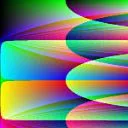
Das ganze nun bunt! 
Wenn jeder Pixel bunt sein soll, dann einfach Zeile 87 auskommentieren und entsprechend Zeile 94 aktivieren!
Gruß,
UEZ
PS: In Zeile 47 _GDIPlus_GraphicsClear($backbuffer, 0xA0000000) auf _GDIPlus_GraphicsClear($backbuffer, 0xFF000000) setzen oder den Workaround von Bitboy anwenden, falls das oben beschriebene Problem auftritt!
Nette Idee mit dem Workaround, aber es flimmert immer wieder mal kurz weiß auf!
Wenn ich ein bißchen mehr Zeit finde, werde ich die Partikel individual färben, d.h. jedes Pixel bekommt seine eigene Farbe
In meinem Kopf schwirrt schon seit längerem der Gedanke, ein Feuerwerk zu coden. Mal sehen, wann ich die Zeit dafür finde.
Gruß,
UEZ
In der virtuellen Maschine WinXP und Win2003 x64 läuft's sauber!
UEZ
Habe es mit einem Win7, laufend in einer Virtualbox getestet, funzt einwandfrei.Seltsam, dass es bisher noch keinem aufgefallen ist.
Mir ist es im Prinzip schon vor längerem aufgefallen (seit den GDI+ Codes), aber habe mir keine so großen Gedanken gemacht. Heute wollte ich mal nachfragen, woran es liegen kann!
Liegt wohl am Alpha Channel unter WinXP. Warum? Das ist noch zu klären.
Habe im Developer Chat mal einen Topic dazu aufgemacht. Mal sehen, was die Entwickler sagen!
UEZ
Alles anzeigenHi,
[autoit]
statt_GDIPlus_GraphicsClear($backbuffer, 0x9A000000)
[/autoit][autoit]
mal die farbe auskommentieren_GDIPlus_GraphicsClear($backbuffer)
[/autoit]
und es "brummt"*edit* blöd, wenn man erst nach über ner stunde das posting abschickt....längst gelöst...sry
Das ist schon klar, aber was ist, wenn man eine Alpha Blendeffekt haben möchte? Manche Effekte kommen mit dem Alpha Channel erst richtig rüber!
Schau' mal hier: Butterfly Curve! Wenn du in Zeile 46 z.B. den Wert von 0x0F000000 auf 0xFF000000) setzt, dann "brummt"'s, aber der ursprungliche Effekt ist weg!
UEZ

Ich habe noch etwas merkwürdiges herausgefunden. Wenn ich Dein (UEZ) unverändertes Script nehme und starte, dann läuft es ja erstmal wie in Zeitlupe.
Lasse ich es weiter laufen und klicke ein anderes Fenster (bei mir ist nebenbei die AutoIt-Hilfe offen) auf der Titelleiste an und halte die linke Maustaste fest, dann werden die Explosionen plötzlich richtig schnell angezeigt.
Wenn ich die Maustaste dann wieder loslasse, sind die Explosionen wieder in Zeitlupe.
Stimmt! Vielleicht wirklich ein Bug!
Wie läuft eigentlich GDI+ z.B. aus VB mit Alphachannel? Auch so langsam?
UEZ