

Beiträge von UEZ
-
-
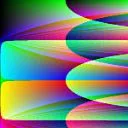
Hmmm, die in UEZ´s Post verlinkte Funktion läuft auf modernen INTEL-Chips nicht, ich vermute ein Überlauf-Problem, da hatten AMD-Systeme immer recht liberal reagiert^^
Ich werde diese Funktion mal "modernisieren" und ggf nach SSE portieren. Oder jemand schreibt in einer der Compilersprachen eine DLL / Funktion.
Hast du noch die reine AutoIt Version? Dann könnte ich daraus eine DLL erstellen? War die Transformation affin oder mit korrekter Perspektive?
Die FB Version oben ist leider nur eine affine Transformation und für kleine Bilder nicht zu gebrauchen.
-
...
Das letzte Jahr hatten UEZ und ich ausfallen lassen, aber in den Jahren davor hatten wir mit einigen hier aus dem Forum einen super Sonntag!

...
Soweit ich mich erinnern kann, haben wir bereits 2 Jahre hintereinander ausfallen lassen.

Zur Info: die revision findet wie immer in Saarbrücken über das Ostern Wochenende statt. Wir haben in der Vergangenheit immer Sonntags die revision besucht. Der Eintritt scheint immer noch 50€ nur für den Sonntag zu kosten.
Abfahrt wäre dann aus dem Rhein-Main Gebiet, einen genauen Treffpunkt können wir dann noch ausmachen.
-
UEZ , meinst Du das?
2015-04-17 : Bilder trapezförmig skalieren und mit Text versehen. <-- Link
Nope, dies hier meinte ich:
-
Ich persönlich bin mit FreeBasic sehr zu frieden, hat mehr oder weniger alles, was man braucht inkl. Inline Assembler / OOP und ist relativ schnell, lässt sich relativ leicht lernen.
Wer mit Linux arbeitet wird auch FreeBasic sehr zu schätzen wissen, da der Code sich auch unter Linux kompilieren lässt (plattformübergreifend).
JavaScript wäre für mich noch eine Option eine weitere Programmiersprache zu lernen, denn mit der der Three Lib kann man tolle Sachen "zaubern".
Apropos "zaubern", wer hätte Lust dieses Jahr die revision 2019 an einem Ostern Sonntag zu besuchen?
-
-

Ahhhh jetzt funktioniert es. Sieht echt mega aus!!
Schade das AutoIt so eine lahme Kiste ist.

Nun ja, mit externer Hilfe könnte man schon dies in AutoIt implementieren. Irgendwo hier sollte es ein Code von eukalyptus geben, der ein Trapezoid von Bildern erstellen kann.
Der Rest schluckt kaum Ressourcen.
-
Ich habe das RAR Archiv in Zip umgewandelt, ansonsten mit der neusten WinRAR / 7-Zip Version probieren.
-
Hier der Versuch den Effekt nachzuprogrammieren, aber nicht in AutoIt, sondern FreeBasic.
 AutoIt ist dafür viel zu langsam.
Ist nicht so "geschmeidig" wie die Web Version geworden.
Die Exe ist als x64 kompiliert, Source Code liegt bei.
-
Ich glaube, dass sieht richtig aus und müsste so in der Art funktionieren.
C
Alles anzeigen#pragma compile(Icon, "c:\Program Files (x86)\AutoIt3\Icons\au3.ico") #AutoIt3Wrapper_Run_Au3Stripper=y #Au3Stripper_Parameters=/so /pe /rm #AutoIt3Wrapper_Run_After=del /f /q "%scriptdir%\%scriptfile%_stripped.au3" #include <GDIPlus.au3> #include <GuiConstantsEx.au3> #include <WindowsConstants.au3> _GDIPlus_Startup() Global $hGUI, $hCanvas, $hPen, $iFPS = 0, $iShowFPS = 0, $bExit Global Const $iW = 800, $iH = 600, $iWh = $iW / 2, $iHh = $iH / 2, $sTitle = "GDI+ Test" Global Const $fPi = ACos(-1), $fRad = $fPi / 180, $fDeg = 180 / $fPi Global $iOldMx = -1, $iOldMy = -1 AutoItSetOption("GUIOnEventMode", 1) GDIPlus_Test() GUIRegisterMsg($WM_MOUSEMOVE, "") AutoItSetOption("GUIOnEventMode", 0) _GDIPlus_Shutdown() Func GDIPlus_Test() $bExit = False $hGUI = GUICreate($sTitle, $iW, $iH) ;, 0, 0, $WS_POPUP) GUISetState(@SW_SHOW, $hGUI) ;~ GUISetCursor(16, 1) ;create canvas elements Local Const $hDC = _WinAPI_GetDC($hGUI) Local Const $hHBitmap = _WinAPI_CreateCompatibleBitmap($hDC, $iW, $iH) Local Const $hDC_backbuffer = _WinAPI_CreateCompatibleDC($hDC) Local Const $DC_obj = _WinAPI_SelectObject($hDC_backbuffer, $hHBitmap) $hCanvas = _GDIPlus_GraphicsCreateFromHDC($hDC_backbuffer) _GDIPlus_GraphicsSetSmoothingMode($hCanvas, $GDIP_SMOOTHINGMODE_HIGHQUALITY) _GDIPlus_GraphicsSetPixelOffsetMode($hCanvas, $GDIP_PIXELOFFSETMODE_HIGHQUALITY) Local Const $hBrush_Clr = _GDIPlus_BrushCreateSolid(0xFF000000), _ $hBrush_FPS = _GDIPlus_BrushCreateSolid(0xF0A0A0A0), _ $hFormat_FPS = _GDIPlus_StringFormatCreate(), _ $hFamily_FPS = _GDIPlus_FontFamilyCreate("Arial"), _ $hFont_FPS = _GDIPlus_FontCreate($hFamily_FPS, 8), _ $tLayout_FPS = _GDIPlus_RectFCreate(0, 0, 60, 16) $hPen = _GDIPlus_PenCreate(0xFFFFFFFF) $iFPS = 0 GUISetOnEvent($GUI_EVENT_CLOSE, "_Exit_About") AdlibRegister("CalcFPS", 1000) Local $moveForce = 40, $rotateForce = 80, $aMpos, $moveX, $moveY Local $tCoords1 = DllStructCreate("float x1; float y1;float x2; float y2;float x3; float y3;float x4; float y4") $tCoords1.x1 = 200 $tCoords1.y1 = 100 $tCoords1.x2 = 600 $tCoords1.y2 = 100 $tCoords1.x3 = 200 $tCoords1.y3 = 500 $tCoords1.x4 = 600 $tCoords1.y4 = 500 Local $tCoords2 = DllStructCreate("float x1; float y1;float x2; float y2;float x3; float y3;float x4; float y4") $tCoords2.x1 = 250 $tCoords2.y1 = 200 $tCoords2.x2 = 630 $tCoords2.y2 = 200 $tCoords2.x3 = 250 $tCoords2.y3 = 400 $tCoords2.x4 = 630 $tCoords2.y4 = 400 Do DllCall($__g_hGDIPDll, "int", "GdipFillRectangle", "handle", $hCanvas, "handle", $hBrush_Clr, "float", 0, "float", 0, _ "float", $iW, "float", $iH) ;erase canvas background DrawRect($tCoords1, 50, 80) DrawRect($tCoords2, 25, 80, 1) _GDIPlus_GraphicsDrawStringEx($hCanvas, "FPS: " & $iShowFPS, $hFont_FPS, $tLayout_FPS, $hFormat_FPS, $hBrush_FPS) ;draw background message text _WinAPI_BitBlt($hDC, 0, 0, $iW, $iH, $hDC_backbuffer, 0, 0, $SRCCOPY) ;blit drawn bitmap to GUI $iFPS += 1 If $bExit Then ExitLoop Until Not Sleep(30) AdlibUnRegister("CalcFPS") ;release resources _GDIPlus_FontDispose($hFont_FPS) _GDIPlus_FontFamilyDispose($hFamily_FPS) _GDIPlus_StringFormatDispose($hFormat_FPS) _GDIPlus_BrushDispose($hBrush_Clr) _GDIPlus_BrushDispose($hBrush_FPS) _GDIPlus_GraphicsDispose($hCanvas) _WinAPI_SelectObject($hDC_backbuffer, $DC_obj) _WinAPI_DeleteDC($hDC_backbuffer) _WinAPI_DeleteObject($hHBitmap) _WinAPI_ReleaseDC($hGUI, $hDC) GUIDelete($hGUI) EndFunc ;==>GDIPlus_Test Func DrawRect(ByRef $tCoords, $moveForce, $rotateForce, $fAcceleration = 0) Local $aMpos = GUIGetCursorInfo($hGUI) $moveX = ($aMpos[1] - $iHh) / $iHh * -$moveForce $moveY = ($aMpos[0] - $iWh) / $iWh * -$moveForce $rotateX = -(($aMpos[0] / $iW * $rotateForce * 2) - $rotateForce) * $fRad $rotateY = (($aMpos[1] / $iH * $rotateForce * 2) - $rotateForce) * $fRad ;xy1 xy2 ; ;xy3 xy4 Local $x1, $x2, $x3, $x4, $y1, $y2, $y3, $y4 Local $fRotX = Cos($rotateX), $fRotY = Cos($rotateY) $x1 = $tCoords.x1 + $moveX * $fRotX - $moveY * $fAcceleration $y1 = $tCoords.y1 + $moveY * $fRotY - $moveX * $fAcceleration $x2 = $tCoords.x2 - $moveX * $fRotX - $moveY * $fAcceleration $y2 = $tCoords.y2 - $moveY * $fRotY - $moveX * $fAcceleration $x3 = $tCoords.x3 - $moveX * $fRotX - $moveY * $fAcceleration $y3 = $tCoords.y3 - $moveY * $fRotY - $moveX * $fAcceleration $x4 = $tCoords.x4 + $moveX * $fRotX - $moveY * $fAcceleration $y4 = $tCoords.y4 + $moveY * $fRotY - $moveX * $fAcceleration _GDIPlus_GraphicsDrawLine($hCanvas, $x1, $y1, $x2, $y2, $hPen) _GDIPlus_GraphicsDrawLine($hCanvas, $x3, $y3, $x4, $y4, $hPen) _GDIPlus_GraphicsDrawLine($hCanvas, $x1, $y1, $x3, $y3, $hPen) _GDIPlus_GraphicsDrawLine($hCanvas, $x2, $y2, $x4, $y4, $hPen) EndFunc Func _Exit_About() $bExit = True EndFunc ;==>_Exit_About Func CalcFPS() ;display FPS $iShowFPS = $iFPS $iFPS = 0 EndFunc ;==>CalcFPS -
Die GDI+ Funktion macht genau das, was du ihm sagt, nämlich eine Reduzierung der Farbwerte gemäß deiner Farbtabelle.
Du müsstest eher die Farben manipulieren. Wie genau, weiß ich nicht und ich kann dir nicht sagen, ob dies direkt über GDI+ möglich ist.
-
-
Du musst die Zeile 43 anpassen:
Code_GDIPlus_BitmapConvertFormat($hImage, $GDIP_PXF08INDEXED, $GDIP_DitherTypeDualSpiral8x8, $GDIP_PaletteTypeFixedHalftone256, $tPalette)Wenn $GDIP_PXF04INDEXED gewählt ist, dann sind nur 2^4 = 16 Farben vorgesehen.
Beispiel:
C
Alles anzeigen#include <GDIPlus.au3> #include <GUIConstantsEx.au3> #include <WindowsConstants.au3> Global $sFile = FileOpenDialog("Selecet an image", "", "Images (*.jpg;*.png;*.bmp)") If @error Then Exit MsgBox(16, "Error", "You must select an image!", 30) _GDIPlus_Startup() $hImage = _GDIPlus_ImageLoadFromFile($sFile) $iW = _GDIPlus_ImageGetWidth($hImage) $iH = _GDIPlus_ImageGetHeight($hImage) $hGUI = GUICreate("GDI+ v1.1 needed", $iW * 2 + 30, $iH + 20) GUISetState() $hGraphics1 = _GDIPlus_GraphicsCreateFromHWND($hGUI) _GDIPlus_GraphicsDrawImageRect($hGraphics1, $hImage, 10, 10, $iW, $iH) _GDIPlus_GraphicsDispose($hGraphics1) $iColors = 32 Local $tPalette = _GDIPlus_PaletteInitialize($iColors, $GDIP_PaletteTypeOptimal, $iColors, False, $hImage) ConsoleWrite(@error & @CRLF) _GDIPlus_BitmapConvertFormat($hImage, $GDIP_PXF08INDEXED, $GDIP_DitherTypeDualSpiral8x8, $GDIP_PaletteTypeFixedHalftone256, $tPalette) DllCall($__g_hGDIPDll, "int", "GdipSetImagePalette", "handle", $hImage, "struct*", $tPalette) $hDC = _WinAPI_GetDC($hGUI) $hGraphics2 = _GDIPlus_GraphicsCreateFromHDC($hDC) _GDIPlus_GraphicsDrawImageRect($hGraphics2, $hImage, $iW + 20, 10, $iW, $iH) _GDIPlus_ImageSaveToFile($hImage, @ScriptDir & "\" & $iColors & ".png") ShellExecute(@ScriptDir & "\" & $iColors & ".png") Do Switch GUIGetMsg() Case $GUI_EVENT_CLOSE _WinAPI_ReleaseDC($hGUI, $hDC) _GDIPlus_GraphicsDispose($hGraphics2) _GDIPlus_ImageDispose($hImage) _GDIPlus_Shutdown() GUIDelete() Exit EndSwitch Until False -
Hi,
ich finde irgendwie nicht die Lösung die 4 Punkte so zu verschieben, sodass dieser Effekt entsteht:
Das ist mein bisheriger Code:
C
Alles anzeigen#pragma compile(Icon, "c:\Program Files (x86)\AutoIt3\Icons\au3.ico") #AutoIt3Wrapper_Run_Au3Stripper=y #Au3Stripper_Parameters=/so /pe /rm #AutoIt3Wrapper_Run_After=del /f /q "%scriptdir%\%scriptfile%_stripped.au3" #include <GDIPlus.au3> #include <GuiConstantsEx.au3> #include <WindowsConstants.au3> _GDIPlus_Startup() Global $hGUI, $hCanvas, $hPen, $iFPS = 0, $iShowFPS = 0, $bExit Global Const $iW = 800, $iH = 600, $iWh = $iW / 2, $iHh = $iH / 2, $sTitle = "GDI+ Test" Global Const $fPi = ACos(-1), $fRad = $fPi / 180, $fDeg = 180 / $fPi AutoItSetOption("GUIOnEventMode", 1) AutoItSetOption("MouseCoordMode", 0) GDIPlus_Test() AutoItSetOption("GUIOnEventMode", 0) _GDIPlus_Shutdown() Func GDIPlus_Test() $bExit = False $hGUI = GUICreate($sTitle, $iW, $iH) ;, 0, 0, $WS_POPUP) GUISetState(@SW_SHOW, $hGUI) ;~ GUISetCursor(16, 1) ;create canvas elements Local Const $hDC = _WinAPI_GetDC($hGUI) Local Const $hHBitmap = _WinAPI_CreateCompatibleBitmap($hDC, $iW, $iH) Local Const $hDC_backbuffer = _WinAPI_CreateCompatibleDC($hDC) Local Const $DC_obj = _WinAPI_SelectObject($hDC_backbuffer, $hHBitmap) $hCanvas = _GDIPlus_GraphicsCreateFromHDC($hDC_backbuffer) _GDIPlus_GraphicsSetSmoothingMode($hCanvas, $GDIP_SMOOTHINGMODE_HIGHQUALITY) _GDIPlus_GraphicsSetPixelOffsetMode($hCanvas, $GDIP_PIXELOFFSETMODE_HIGHQUALITY) Local Const $hBrush_Clr = _GDIPlus_BrushCreateSolid(0xFF000000), _ $hBrush_FPS = _GDIPlus_BrushCreateSolid(0xF0A0A0A0), _ $hFormat_FPS = _GDIPlus_StringFormatCreate(), _ $hFamily_FPS = _GDIPlus_FontFamilyCreate("Arial"), _ $hFont_FPS = _GDIPlus_FontCreate($hFamily_FPS, 8), _ $tLayout_FPS = _GDIPlus_RectFCreate(0, 0, 60, 16) $hPen = _GDIPlus_PenCreate(0xFFFFFFFF) $iFPS = 0 GUISetOnEvent($GUI_EVENT_CLOSE, "_Exit_About") AdlibRegister("CalcFPS", 1000) Local $moveForce = 40, $rotateForce = 80, $aMpos, $moveX, $moveY Local $tCoords = DllStructCreate("float x1; float y1;float x2; float y2;float x3; float y3;float x4; float y4") $tCoords.x1 = 200 $tCoords.y1 = 100 $tCoords.x2 = 600 $tCoords.y2 = 100 $tCoords.x3 = 200 $tCoords.y3 = 500 $tCoords.x4 = 600 $tCoords.y4 = 500 Do DllCall($__g_hGDIPDll, "int", "GdipFillRectangle", "handle", $hCanvas, "handle", $hBrush_Clr, "float", 0, "float", 0, _ "float", $iW, "float", $iH) ;erase canvas background DrawRect($tCoords, $moveForce, $rotateForce) _GDIPlus_GraphicsDrawStringEx($hCanvas, "FPS: " & $iShowFPS, $hFont_FPS, $tLayout_FPS, $hFormat_FPS, $hBrush_FPS) ;draw background message text _WinAPI_BitBlt($hDC, 0, 0, $iW, $iH, $hDC_backbuffer, 0, 0, $SRCCOPY) ;blit drawn bitmap to GUI $iFPS += 1 If $bExit Then ExitLoop Until Not Sleep(30) AdlibUnRegister("CalcFPS") ;release resources _GDIPlus_FontDispose($hFont_FPS) _GDIPlus_FontFamilyDispose($hFamily_FPS) _GDIPlus_StringFormatDispose($hFormat_FPS) _GDIPlus_BrushDispose($hBrush_Clr) _GDIPlus_BrushDispose($hBrush_FPS) _GDIPlus_GraphicsDispose($hCanvas) _WinAPI_SelectObject($hDC_backbuffer, $DC_obj) _WinAPI_DeleteDC($hDC_backbuffer) _WinAPI_DeleteObject($hHBitmap) _WinAPI_ReleaseDC($hGUI, $hDC) GUIDelete($hGUI) EndFunc ;==>GDIPlus_Test Func DrawRect(ByRef $tCoords, $moveForce, $rotateForce) Local $aMpos = GUIGetCursorInfo($hGUI) $moveX = ($aMpos[0] - $iWh) / $iWh * -$moveForce $moveY = ($aMpos[1] - $iHh) / $iHh * -$moveForce $rotateX = -(($aMpos[1] / $iH * $rotateForce * 2) - $rotateForce) * $fRad $rotateY = (($aMpos[0] / $iW * $rotateForce * 2) - $rotateForce) * $fRad ;xy1 xy2 ; ;xy3 xy4 Local $x1 = $tCoords.x1 + $moveX * Cos($rotateX), $y1 = $tCoords.y1 + $moveY * Sin($rotateY), _ $x3 = $tCoords.x3 - $moveX * Cos(-$rotateX), $y3 = $tCoords.y3 - $moveY * Sin(-$rotateY), _ $x2 = $tCoords.x2 + $moveX * Sin($rotateX), $y2 = $tCoords.y2 + $moveY * Cos($rotateY), _ $x4 = $tCoords.x4 - $moveX * Sin(-$rotateX), $y4 = $tCoords.y4 - $moveY * Cos(-$rotateY) _GDIPlus_GraphicsDrawLine($hCanvas, $x1, $y1, $x2, $y2, $hPen) _GDIPlus_GraphicsDrawLine($hCanvas, $x3, $y3, $x4, $y4, $hPen) _GDIPlus_GraphicsDrawLine($hCanvas, $x1, $y1, $x3, $y3, $hPen) _GDIPlus_GraphicsDrawLine($hCanvas, $x2, $y2, $x4, $y4, $hPen) EndFunc Func _Exit_About() $bExit = True EndFunc ;==>_Exit_About Func CalcFPS() ;display FPS $iShowFPS = $iFPS $iFPS = 0 EndFunc ;==>CalcFPSHat jemand die Idee, wie ich die 4 Punkte gemäß des CodePen Demos bewegen kann?
-

..."Screenshot a Web Site" liefert bei mir nur ein komplett schwarzes Bild... habe mehrere Seiten versucht.
Genau liegt die Krux mit 1809.
-
Bei mir funktioniert es mit der 1809... linkes Bild ist mit Windows Screenshooter gemacht...
...bekomme allerdings einen Fehler, wenn ich die Taste "druck" benutze, die bei mir von SnagIt belegt ist.
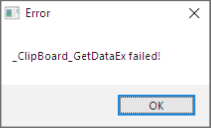
Bitnugger Danke für's testen, aber wie hast du das Bild erstellt? Mit der "Grab Screen" oder "Screenshot a Web Site" Funktion?
Tweaky Benutzt du den Screenshooter eigentlich regelmäßig?
-
Tweaky : nope, immer noch 1803.
-
Die 4 Hauptfarben kennst du ja. Um die Zwischenfaben zu bekommen, musst du wohl einmal eine Zeile mit den Farben auslesen und sie in ein Array speichern. Sollten 600 Einträge sein, dann hast du alle Farben inkl. der 4 definierten Farben.
Geht am schnellsten mit _GDIPlus_BitmapLockBits().
-
Den Farbverlauf würde ich so machen:
C
Alles anzeigen#include <GDIPlus.au3> #include <GUIConstantsEx.au3> Example() Func Example() _GDIPlus_Startup() ;initialize GDI+ Local Const $iWidth = 600, $iHeight = 600, $iBgColor = 0x303030 ;$iBGColor format RRGGBB Local $hGUI = GUICreate("GDI+ Example (" & @ScriptName & ")", $iWidth, $iHeight) ;create a test GUI GUISetBkColor($iBgColor, $hGUI) ;set GUI background color GUISetState(@SW_SHOW) Local $hGraphics = _GDIPlus_GraphicsCreateFromHWND($hGUI) ;create a graphics object from a window handle _GDIPlus_GraphicsSetSmoothingMode($hGraphics, $GDIP_SMOOTHINGMODE_HIGHQUALITY) ;sets the graphics object rendering quality (antialiasing) Local $hBrush = _GDIPlus_LineBrushCreate(0, 0, 600, 0, 0, 0) ;create linear gradient flipped brush Local $aInterpolations[5][2] ;define the interpolated colors and positions $aInterpolations[0][0] = 4 $aInterpolations[1][0] = 0xFFFF0000 ;Red $aInterpolations[1][1] = 0 ;0% from the left $aInterpolations[2][0] = 0xFF00FF00 ;Green $aInterpolations[2][1] = 0.3 ;To 30% from the left $aInterpolations[3][0] = 0xFF0000FF ;Blue $aInterpolations[3][1] = 0.7 ;To 70% from the left $aInterpolations[4][0] = 0xFFFFFF00 ;Yellow $aInterpolations[4][1] = 1 ;To 100% from the left _GDIPlus_LineBrushSetPresetBlend($hBrush, $aInterpolations) ;set the linear gradient brush colors and position _GDIPlus_GraphicsFillRect($hGraphics, 0, 295, 600, 10, $hBrush) Do Until GUIGetMsg() = $GUI_EVENT_CLOSE ;cleanup GDI+ resources _GDIPlus_BrushDispose($hBrush) _GDIPlus_GraphicsDispose($hGraphics) _GDIPlus_Shutdown() GUIDelete($hGUI) EndFunc ;==>Example -
@Musashi Danke für den Hinweis. Der Link zur Datei sollte jetzt gefixt sein. Der Unterschied zwischen beiden Version ist eher "kosmetisch", daher war mir der Aufwand zu hoch die Topics zu aktualisieren.
-
JensSchwartz Danke für deine Rückmeldung.
In der Tat habe ich vergessen den Pfad anzupassen. Sollte aber kein Problem sein dies entsprechend anzupassen.
Leider läuft das Skript nur als x86! Wenn du es als x64 startest, dann stürzt das Skript ab, da einige eingebettete Funktionen nur als x86 laufen (DLL, ASM).
Funktioniert das Skript als x86 bei dir?
